
How do you give a baker visibility into her own business?
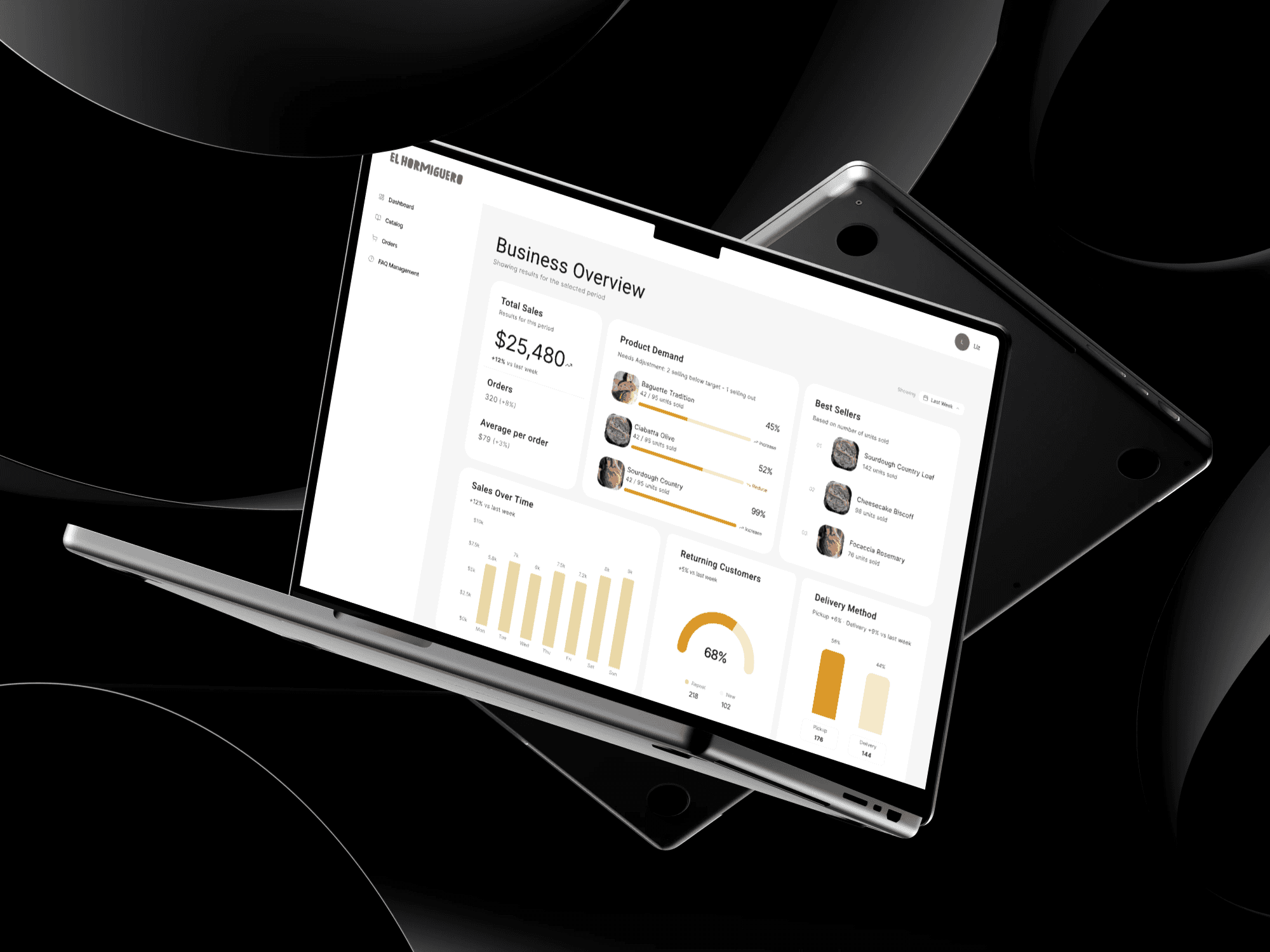


Porfolio Project
El Hormiguero
UX/UI Designer
Figma, Notion
No data, no calculator, no way to know what's working.
Liz runs El Hormiguero — a Colombian artisan bakery — completely by hand. Orders in a notebook. Inventory in her head. Sales counted with a calculator at the end of the week. The admin dashboard is the second half of the same system: the side only she sees.
Discovery
The owner side of the problem
Liz is an artisan bakery owner who manages production, orders, and sales entirely by hand — who needs a way to see her business data clearly and in real time, because every decision she makes is based on memory and intuition, not actual numbers.
Through a interview with Liz, a service blueprint, a user persona, and user stories we identified the core pain points that shaped the entire system:
No Sales Visibility
Manual Inventory Counting
Orders in a Physical Notebook
Zero Product Performance Data
Ingredient Calculations by Hand
No Delivery Tracking
Liz wasn't lacking information — she was generating it every week. The problem was that it lived nowhere she could actually see
Ideation & Design
Mapping the system before designing a screen
Before touching Figma, I mapped the full admin system — catalog manager, order flow, FAQ module, and the sales dashboard. All connected, all part of the same platform. This case study covers the Sales Dashboard: the piece that gives Liz visibility into what's selling, what's in demand, and who's coming back.
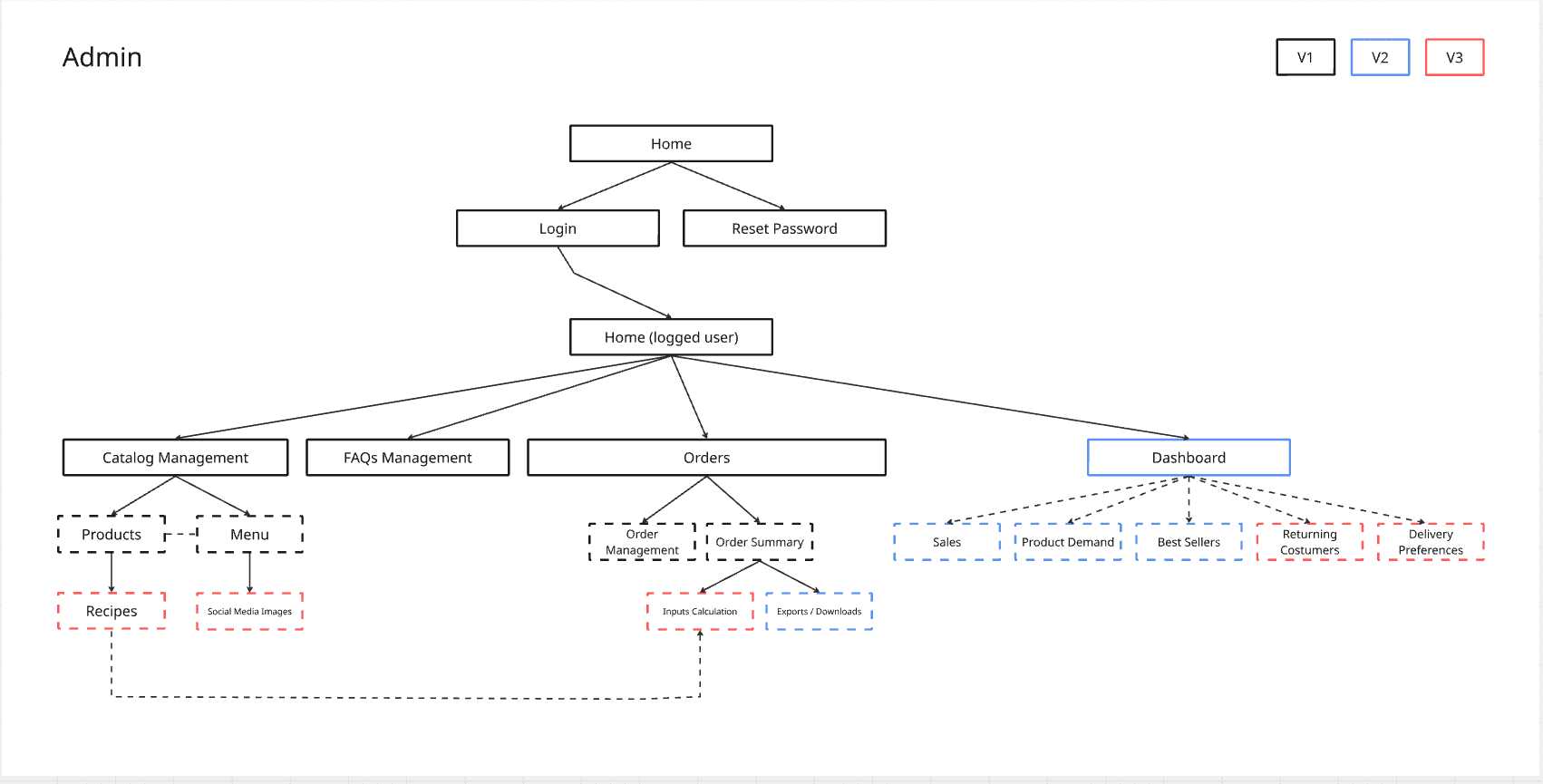
Information architecture — Dashboard
Three key design decisions shaped the dashboard:
Decision 1
Time periods as the primary filter. Liz's intuition operates in cycles — this week, last month, last season. The dashboard matches that mental model instead of imposing arbitrary date ranges.
Decision 2
Product demand with restock signals. Each product shows current units, a trend direction, and a restock recommendation — turning raw numbers into an actionable prompt.
Decision 3
Best sellers as social proof for production planning. Knowing which three products lead each period lets Liz plan ingredient purchases without guessing.
Decision 4
Returning vs. new customers shown as a ratio — not just a raw count. This tells Liz whether growth is from retention or acquisition, which changes her response.
Usability Testing
Testing the architecture before building screens
Before designing any screens, I tested the full admin system architecture using Useberry — not just the dashboard. 2 participants, 5 tasks, 100% completion, no drop-offs. The goal was to validate the structure before committing to high-fidelity design. This case study covers only the Dashboard (V1) — the other modules are in progress as separate case studies.
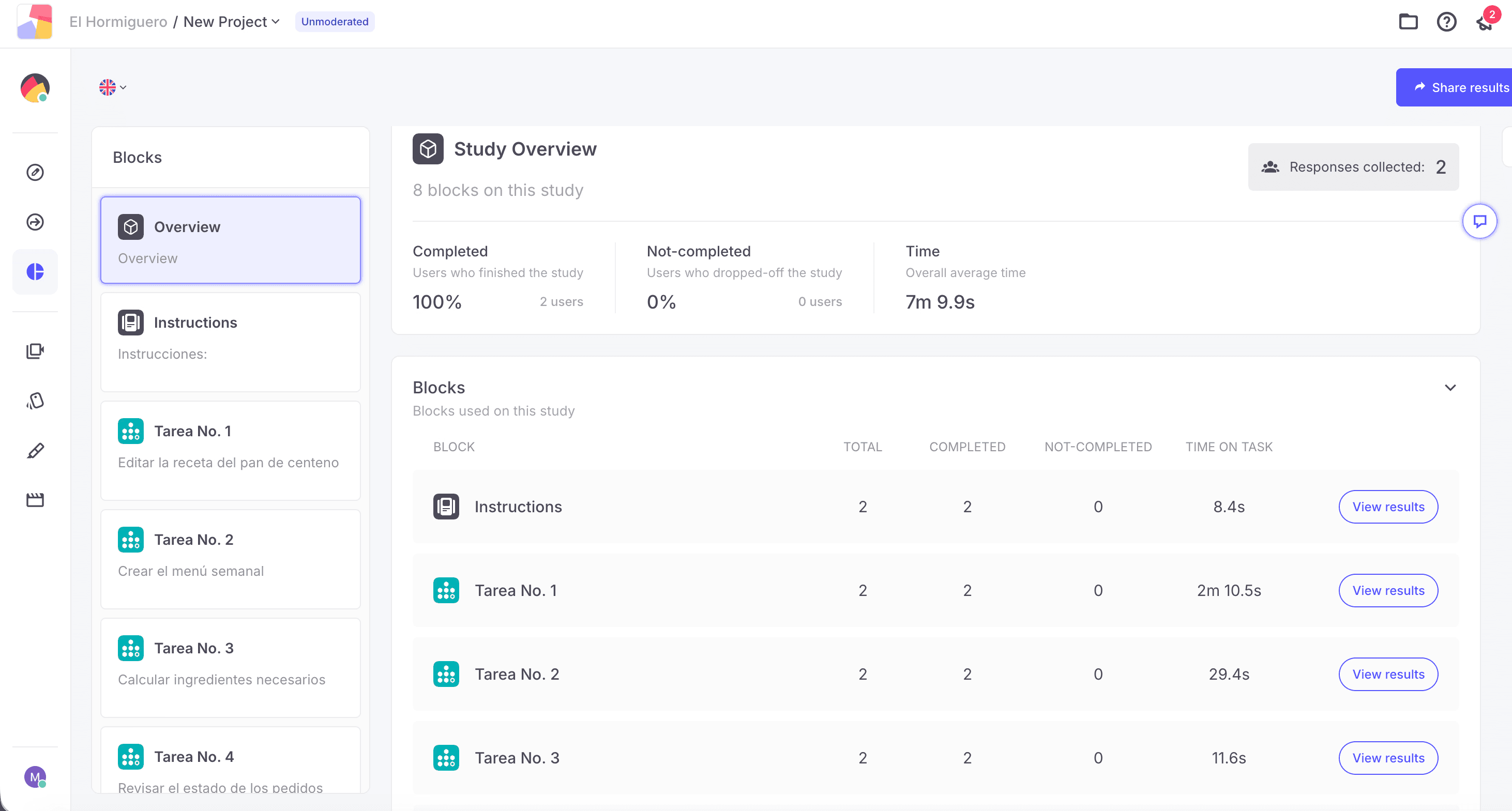
Task | Time | Findings |
|---|---|---|
| Edit rye bread recipe | 2m 10.5s | Completed without friction |
| Create weekly menu | 29.4s | Hard to find entry point |
| Calculate ingredients | 11.6s | Completed without friction |
| Review order status | 10.7s | Completed without friction |
| Check best sellers | 8.2s | Completed without friction |
This finding affected the Catalog module — not the dashboard directly. But it confirmed that the overall navigation structure needed refinement before any module went to high-fidelity. That's why testing the full system first mattered.
From decisions to screens
Why not a date picker?
A free date picker puts the cognitive load on Liz. She'd have to decide what period to compare, every time. Fixed periods match how she already thinks about her business.
Why this order of information?
Total sales → product demand → best sellers. From "how did I do" to "what's moving" to "what should I make more of." Each section answers the next question Liz would naturally ask.
Why show restock signals?
Raw numbers don't tell Liz what to do. A label that says "reduce" or "increase" next to a product turns data into a decision — without her having to interpret it.
Why returning vs. new customers as a ratio?
A raw count of returning customers is meaningless without context. The ratio tells Liz whether growth is coming from loyalty or acquisition — two very different problems to solve.

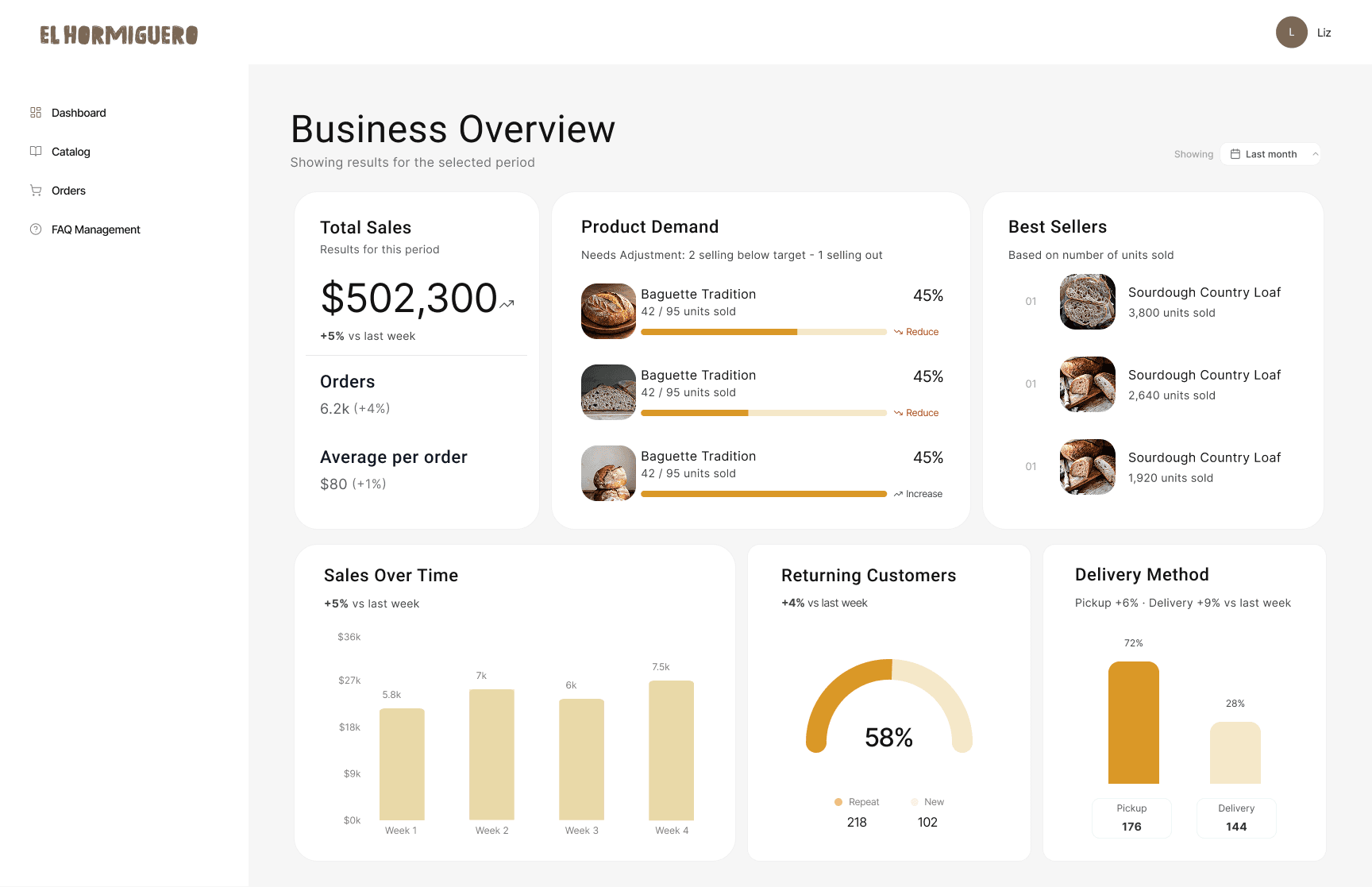

Dashboard prototype — Last Week / Last Month / Last 6 Months
Reflection
What I would do differently
What worked
Designing for an operator forced a different kind of rigor. Liz doesn't browse — she scans. Every piece of information had to justify its place. Testing the full system architecture before touching high-fidelity caught a real navigation problem early. That's exactly what early testing is supposed to do.
What I'd change
With more time I would have tested the dashboard screens directly with Liz — not just the architecture. V1 covers the core visibility problem. But a real operator using the product daily would surface friction points that tree testing can't catch. V2 and V3 would build on that feedback.
"I'd like something that tells me: total loaves, how many blueberry, how many garlic..."
— Liz, on what she actually needs from a digital tool
The dashboard is V1 of a larger system. The catalog manager, order flow, and FAQ module are each in progress as separate case studies. But answering the question Liz couldn't answer with a calculator was the right place to start.
